Wednesday, February 24, 2016

My Healthy Lifestyle Change


Healthy Lifestyle Change

        I've decided that if I want to improve in my career, I need to transition into a healthy lifestyle. Normally, people talk about going on diets, working out, and taking supplements to lose weight and or get in shape. That is not the case with me. As of a week ago, I decided to make a healthy lifestyle change and it's already paying off significantly. These changes are slow but are definitely working towards the result in living a healthy energetic life. With a healthy lifestyle change, positive benefits can be expected!


Diet

        Most people cut out carbs and starve themselves to lose weight and get in shape. Although I thought about doing that, I have some experience in a healthy diet and I wanted to do another approach to this lifestyle change. I decided to focus more on my salt intake, and see how it goes from there. I realized that the average human intakes around 3500mg of salt a day! THAT'S INSANE! The healthy amount an adult should intake is around 2000 a day. That's a huge difference!

        A result from reducing salt intake has improved my blood pressure drastically. My blood pressure wasn't considered high blood pressure, but it was a little high for my age. It was due to fast food and processed foods that are pre-packaged. I have greatly reduced my salt intake to around 1000mg a day give or take. I eat nothing but wheat bread, I cut out condiments, and I do NOT add salt to any thing that I cook. I also do not eat fast food, pre-packaged foods, and I try to eat as many fresh items as I can. I am aiming for 1-2 servings of fruit a day and 2-4 servings of vegetables a day. Since cutting out salt and pre-processed food, fresh foods are tasting a whole lot better than what I remember!


Exercise

        I have previously been a very active person in what seems to be my past life. I completed the home workout program: P90x, in the year of 2013. Seems like ages ago now that I think about it. And I am about 40 - 50 pounds heavier than I was in that healthy and amazing year, so I decided not to immediately try to get ripped! Instead, I wanted to take a more beginner friendly approach. Something that will not be temporary, but instead a daily habit that will benefit me for years to come.

        I decided to include my dog, Copper, on this activity list. He is a lab mix, a little over a year old, and he is filled with energy. So I decided to have him help me become more active. I now play fetch with him for at least 15-20 mins a day (depending on weather), followed by a minimum 30 minute walk in the neighborhood. I enjoy it so much that I actually come home from work looking forward to it if I work mornings!! I will come home and he's just waiting by the back door to play fetch! I feel like he's loving it a lot more than I am!!

        I've also decided to do normal, but active, activities with my wife. This includes her joining Copper and I on daily walks along with fetch. We've also tried doing things like shooting basketball instead of watching tv. I've noticed my energy levels increasing more and more as each day goes by, and all I am doing are fun things with my dogs and my wife!


Conclusion

        I have weighed in at 215 a week ago. I currently weigh 209! It's crazy to think I have lost that much in a week but I think it may be due to a huge adjustment to my nutrition and my body is getting used to it. I am focusing on salt which makes me turn to healthier options for meals. I have seen a huge increase in my overall mood, energy levels, and productivity in just a week! I believe that making these changes will allow not only my health to progress, but my career as well! 

I will continue to update you guys on my health along with my career!

Please like and share if you enjoyed! Follow me on Twitter!!

New Blog every Monday, Wednesday, and Friday!

Please leave comments and advice below!!!


Monday, February 22, 2016

Website Update

Website Update

        So as you all know, I have been redesigning a website for a small business that helps take care of the disabled. It has been an interesting and awesome experience thus far. There has been quite a few bumps since starting the website makeover and I have overcome quite a few of them. Right now I am switching up the navigation bar due to color changes and some extra additions I am throwing in. My current layout, as you all know, is a single page layout. I am aiming for no more than 7-8 sections in the webpage, which is becoming more and more difficult with all the files that were given to me about a week ago. They have a lot of PDF files that applicants need to submit an application and they also have a lot of files pertaining to laws that I am trying to find a place for. I guess you could say I am rethinking a single page layout but I REALLY think it would be best for their business. 


Thoughts for the Client

        Something else I was thinking of that would be in the best interest of the client, is to make it easier for them to edit information. I was discussing this with them when I met with them at their house, and they seemed to really like the thought of Wordpress. I really did not want to make my first website redesign a Wordpress website, but I think their are other ways of managing a website data with Wordpress. I just need to research it a little more and figure out the most efficient way of doing so. 


Conclusion

        This website is my first website, and I already lost at times. I am consistently pushing forward even when I get stumped. I have already done the layout and navigation bar of the website. Now I am trying to figure out a way to manage data with Wordpress without using Wordpress to make the website. Another issue is that I have been working extra hours lately along with managing a healthy lifestyle and creating this website. So my total time of spending a minimum of 5 hours a day dedicated to the website has gone down significantly! I have been only able to spend no more than a couple hours a day due to preparing my meals, going to bed early enough, and other life events that are taking place. It doesn't matter what direction you take your steps, as long as you always moving forward!!

Please follow me on Twitter for day to day updates!

Leave any comments, questions, or advice below!!

New blogs every Monday, Wednesday, and Fridays!!!!

Friday, February 19, 2016

Health and Development


Health and Development

        I am always trying to find ways to improve my overall brain function. In doing so, I constantly learn new things ALL the time. An example would be the "Rubik's Cube". I can solve a Rubik's Cube in less than thirty seconds (fastest time is 26 seconds)!! I feel like that's something not a lot of people know how to do and it is notorious for amazing almost anyone who knows what a Rubik's Cube is. Learning new things is an excellent way to not only improve brain function, but it can improve thought process as well. 

        I feel like health can play a HUGE role in development. If your body is healthy, brain functions can improve significantly! There are even certain foods that can improve memory and other brain related functions. The main reason I am wanting to implement health on my journey, is to improve my overall creativity and efficiency. Being healthy can also reap better benefits other than brain functions but lets not go into all that! I simply want to include a healthy lifestyle along my development career for the sole purpose of improving my overall ability as a developer!!!

My Health Goals

        I am currently standing tall (I wish) at 5' 8" and weighing in at 215 pounds. I am considered obese on the BMI scale but I have come to the realization that the BMI scale is not a good way to indicate a healthy weight. I am merely holding a small muffin top! That's ALL!! Most people think I weigh 180-ish....must be all this muscle...not really. The point is I don't LOOK obese, but according to the scale I am. I would like to lose at least 30 pounds in the next few months and increase my fitness abilities. I am currently going to spend a minimum of 30 minutes a day doing mild activity. Whether it is walking a couple miles or playing basketball. That will be my goals and I will continue to update you guys on my overall health and how it is effecting my performance as a developer. I am sure that the more I improve my fitness and health, the more I can improve my critical thinking!!

What are your thoughts on health and brain function?


Follow my on Twitter for day to day updates!

New blog every Monday, Wednesday, and Friday!!!


Thursday, February 18, 2016

A Little About Me!


Sorry for Yesterday!

        I usually write a new blog every Monday, Wednesday, and Friday! I have been, and will continue, to dedicate those days to publish a blog relating to my journey to becoming a Web Developer! With that being said, I would like to publish this blog on behalf of yesterdays blog that I didn't publish due to many reasons including work and going to urgent care last night. I decided to make this blog an "About Me" blog to make up for yesterday! Want to know a little bit about me? Keep reading!!


About Me!!

        I would like to dedicate this blog to a little bit about me. My name is Jean-Alexander Davis. My father wanted to name me after the famous martial artist actor "Jean Claude Van Damme". My mom, the level headed one, decided to spare me and and not let my father name me "Jean-Claude Van Davis"! Thank you dear mother for saving me years of teachers having difficulties pronouncing my name. 
        
        I am 23 years old and I am married to my "middle school sweetheart". We have been together for 10 years and we recently got married in November of 2015. Considering we haven't killed each other yet, I say we are doing pretty well! I practically grew up with her and it'd be hard to imagine my life without her. We have a chihuahua, whom my wife found running in the street a day after we met, named Moo Moo. We also have a lab mix named "Copper" that we took in after my sister found him running on the highway at just 8 weeks old! So both of our dogs just kind of landed in our laps!
I am the second oldest of 5 siblings and we have all been raised by my mother, whom she raised by herself majority of her life. She is the greatest mother anyone can ask for!

        I am an "Advanced Repair Agent" at Geek Squad.  Geek Squad is a company that is partnered with Best Buy. Best Buy sells products, we repair them! My job is to repair computers that clients bring up to my counters. I do anything from remove viruses to replacing hardware components in computers, desktops, or any relatable devices. I have been employed for almost a year and a half now. I was a manager at dominos before that for about 5-6 years.  The only reason I left Dominos was to pursue my passion for technology. Now that I am in the technology field, I am starting to realize that the opportunities are only limited to what I limit them to!!


Please leave comments and questions below or on Twitter!!

New Blog every Monday, Wednesday, and Fridays!


Monday, February 15, 2016

Codepen


What is Codepen?

         Codepen is an amazing website for Fron-End Developers! It literally advertises itself as a "playground for Front-End Developers"! Codpen is a very interactive website because it allows you to see your results from coding in real time. You can also browse websites, web pages, and web applications created by the community. 

        It implements HTML, CSS, and Javascript so you can just jump right in to coding! It's really a simple, yet effective concept to come up with. It's interface is similar to "Code Academy's" tutorials but with more customization options available.  You can also add resources, or external libraries, to your CSS and Javascript. Those resources include Bootstrap and Foundation for css and jQuery for Javascript. There are plenty more but those are just some of the popular libraries you can add!

        Another amazing benefit that codepen offers is that you can save your code to GitHub, embed your code to show someone else in a chat or in a message a live preview of your design, and also Zips your code into local files on to your computer!! I personally love the idea of creating a website, application, or design and being able to export it without having to do any extra steps! That was the main selling point to me!


Summarization

        Codepen is an amazing website that allows you to design and create web applications, websites, and designs with all the tools you need in one place. From creating your portfolio to testing out javascript, it's an amazing tool for everyone! I am currently creating a project on the side that I will share with you the following blog after I am finished! Until then, give codepen a try for yourself so you can start coding today!!

If you have any questions please feel free to leave a comment below or contact me via Twitter or Email: 

MasterJDnc@gmail.com


New Blog Every Monday, Wednesday, and Friday!

Friday, February 12, 2016

CMS and Domain

CMS (Content Management System)

        So I have been reading a lot of articles the past few days. A lot of those reason are due to the fact that I am meeting the clients tomorrow to exchange information about the website. I am also probably going to obtain some wish list items, I'm assuming, and ideas that they have been thinking of. So in the mean time I have been experimenting with some layouts and codes for the CSS layout that I am going to be giving a try. With that being said, I have been looking in to some of the CMS websites they have out there and if it's even worth shooting for.

        So everyone has heard of Wordpress, and their amazing ability to allow anyone with all type of technical backgrounds to create, edit, and maintain a website. They have plenty of other types of CMS websites out there. My client is currently on Homestead and has been with them for over 15 years! I almost feel guilty for moving them to another CMS and Domain but if Homestead offered more customization than we wouldn't be in this situations! 

        Wordpress seems to be the leading CMS on the internet right now.  They host about 20% of the websites on the internet right now! I really want to future proof their website, meaning that if they need to update their website or their content, I want them to easily overcome any obstacles that the future may hold! To do that, we need a CMS that will be able to handle what the future can throw at them. That is the main reason why I am leaning more towards Wordpress than any other CMS out right now.


Domain

        So, there are SOOO many domains out there, and this one has been a no brainer for me because the deciding factor here, is PRICE.  I have read countless reviews on too many domains out there. From Go Daddy to Wordpress, the list goes on! After hours of researching, I have narrowed it down to two options!

Option one:

        I can use Wordpress as the Domain AND as the CMS. This seems like a great all in one package and I would feel confident in leaving the website in their hands. They're website also contains a blog that is being hosted by Wordpress as this very moment.

Option two:

        I can take the cheaper route and use HostGator. If I choose HostGator, I can still use Wordpress as the CMS and it wouldn't cost anything extra. I have seen a lot of tutorials using this method so I know I will not have any trouble going this route. Another bonus with HostGator is that they will move your domain over to this free of charge. At least they advertise that....and I am not sure if Wordpress offers that but I will find out!!


Conclusion

        So I need to figure out which Domain and CMS I am going to go with. My clients told me to just let them know how much the transfer will cost so I am also trying to save them as much money as I possibly can. I want this to be the best experience they will every have with a web developer. Even if I am just a newbie!!

Follow me on Twitter for day to day updates on my Journey!!


New Blog every Monday, Wednesday, and Friday!

Wednesday, February 10, 2016

First Website Style and Ideas

Which Style to Choose?

        There are so many website styles to choose from. I have spent the past couple days looking for websites to use as inspirations. I've been saying attention to all the details and styles that goes into these websites. Details like navigation bars, layouts, colors, headers, animations etc. These websites range from simple one page layouts to multi-page masterpieces, proving that the possibilities are endless!

Which Style Did I Choose?

        I decided to make it simple and responsive. I am going with a single page layout to really maximize the clients experience. I want the client to find ALL the information they need with the click of a single, simple button that is neatly placed in front of them at all times. This would require the navigation bar to be fixed. I would also like to have a nice large header so that the client is immediately captured by the heart-warming work that my clients business provides. This would mean a collage, a slideshow, or a simple picture that has a thousand words captured in a single moment.
   
        I am mainly going to use HTML , CSS, and possibly jQuery to style this website. I haven't perfected any language thus far, but I am most comfortable with these languages. I would really like to addd some animations for the user if possible. One idea I had was to add an animation to where when a user would click on a button in the navigation bar,  then it would scroll to that exact location on the web page. I have not learned that yet but I think it would be a really cool idea to input that into the website.

Conclusion

        I have decided so make simplicity the purpose of this website. I really want it to be user friendly across all devices. I would like a single page layout along with a very simple design. This website is mainly going to consist of HTML and CSS, but for some of the "cool" effects on the page, I need to implement jQuery in to the equation. There are plenty of things that could go wrong and I felt like I gave myself not enough time to complete everything in a timely manner. I'm going to stay focused and stay positive even if it seems impossible!! With that being said.....TIME FOR ME TO GET TO WORK!

Follow me on Twitter for day to day updates and struggles!


New Blog every Monday, Wednesday, and Friday!


If you have questions, ideas, or just want to give me advice then please contact me via email:

MasterJDnc@gmail.com

Or leave a comment below!!!


Monday, February 8, 2016

MY FIRST CLIENT

My First Client

        That's right! Already have my first client! Well, sort of. It's my sister-in-law's grandparents website that I am redesigning. I hope you guys are following me here. That was a mouth full to say. 
If you guys followed me on Twitter, you guys would already gotten a hint of this! So please follow me on Twitter for day to day updates! But, lets get to the details on my first project here. 

Website


        Now a little bit about the website and business itself. They have a business called "Pathway Behavioral Health Service". Their business specializes in the health care of special needs clients or clients with disabilities.  They started the business in the year of 2000. They have well over 20 clients and they are continuing to grow. Their website on the other hand, isn't on the same track. Their website NEEDS to catch up with the modern world. 

        Their website, which I will link at the bottom of the page, is in NEED of some serious help. It looks like pure html with not the slightest hint of css! Their website is currently being hosted by "Homestead", so customizations are not readily available. You can only use templates that they currently have. With that being said, I think that I need to migrate hosts to "Wordpress" or another popular content management system is what I will do. I am going to have to figure out the best way to migrate from one CMS to another.  That'll be a new thing that I can learn!!

Conclusion

        To sum it all up, this will be a perfect opportunity to test my skills. This website isn't that large of a task considering how out of date it is. I am going to use mainly HTML5 and CSS3. I am thinking about implementing some of the jQuery that I have learned over the past week or two. I am not on a time crunch for this but will like to get this done within the next week or two. I am going to set small goals into my head to make this more of a job than a hobby. This is going to be a perfect opportunity for me to put my skills to the test!

Website:


Follow me on Twitter for day to day updates on my project and on my journey!


New Blog every Monday, Wednesday, and Friday!!

Friday, February 5, 2016

Design Tools


Photoshop or Gimp

        As a web developer, I need to become familiar with softwares that are capable of editing photos, images, text, icons, logos, etc. I decided to proceed with this considering it's a very important skill if I am going to present design ideas to clients. So then it began, the search for a image editing software that can provide the necessary tools needed to complete any task that the future may hold.

        The search narrowed down to two software applications, Photoshop and Gimp. Photoshop is known to be the absolute best software in it's class. It can do anything and everything you need it to do to design a website. The only downside to this application is, like the Macbook, priced a bit high. In an earlier blog I discussed my options of a Windows, Linux, and a Mac system and I also discussed why I made the decision to go with a Mac. I strongly believe you get what you pay for and Photoshop is no exception. 

        On the other hand, Gimp can also do anything I would need it to do, in order to design a website, and it's completely free! Unlike Mac vs Windows, it has a very familiar interface like Photoshop does, so transitioning from one software to the other would be a fairly easy process.  I have previously used Gimp in the past when I was trying to make a logo as a child for a group project. So this one was a no brainer for me.


Why I Chose Gimp

        I decided to go with the software that's free and familiar to me. Gimp was my choice because of it's similarity with Photoshop, and it's ability to complete the task that I need it to do. Photoshop is VERY expensive if you buy it outright, and the other option is to pay at least $20.00 a month if you cannot afford to buy it full price. I felt as if the smarter decision for me was to go with Gimp in this situation.

        I want to get myself familiar with Gimp as quickly as possible. I know BASIC, and I mean BASIC functions with Gimp. But I ultimately want the ability to design my visualizations and put them in to a form that the client can see. I can tell the client all these great ideas, but for the client to fully understand, I need to put my ideas in to a design that will allow them to visualize their site. It would provide a more pleasant experience for the client . If the client can physically see ideas of their website, I feel like my results can reflect THEIR ideas in the same way Gimp can reflect my ideas. This skill is ESSENTIAL in this field!!

        If you had to choose a software to design a website, what would you choose? Why would you choose that website? How would you guys compare Photoshop to Gimp?


Follow me on Twitter for day to day updates on my journey!!


New Blog post every Monday, Wednesday, and Friday!!


Wednesday, February 3, 2016

What OS for Development?


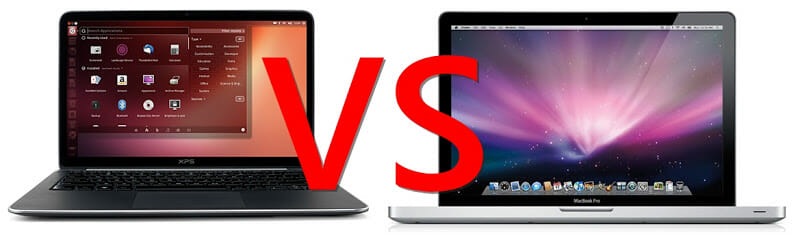
Windows vs Mac vs Linux

        So I have been using a windows computer over the course of the past month or so for my learning purposes. I am familiar with Linux and I am also familiar with Mac considering I repair both at my job. I was at first comparing a Unix system vs a Windows system. After hours of researching I decided that a Unix based system was the route that I was going to go. I was very familiar with the terminal from doing classes at the local college. I also had one of my desktops dual booted to Windows 7 and Ubuntu Linux.

        Another reason I went with a Unix based system over windows was due to the fact that I was familiar with the terminal over the command prompt. I felt it was easier to use "Git" within the terminal as well. Windows is an amazing operating system, and I still have it on two of my machines. With that being said, I decided to go with a Unix based system.


Linux vs Mac

        After deciding to go with a Unix based system I was faced with the dilemma of going with a Mac operating system or Linux. The largest factor here, in my opinion, was the price. I was comparing the fact of Mac is going to have more compatible software than Linux, along with other preferences that I myself consider necessities. Not to mention that majority of the development community uses Mac computers for different reasons. 

        Linux is VERY cheap, actually, it's free! When I dual booted my desktop, I downloaded Ubuntu on a flash drive so I could load it on to my computer. As long as you have bootable media to load Linux on your computer, your good to go!

        After realizing tax season was hitting soon, I decided to get a Mac and put it on my Best Buy  credit card and pay it off as soon as my income taxes came back. I was considering a used one, and if it broke I would just fix it. But I know the defaults of MacBooks between the years of 2009-2011(I won't get into details). The price of a used macbook was an average of $600.00!! A new Macbook air was only $200.00 more!! I decided to get a Macbook Pro.


Mac

        After the purchase of a Mac, I couldn't be happier. I was more or less convinced due to the reason of reading quite some articles and reviews about each operating system. I believe that I made the right choice because so far my experiences with the operating system have been nothing but positives. I immediately noticed how smooth it was compared to the windows operating system.  I also preferred the user interface all together compared to the other two operating systems. I think a major factor was that I got this new MacBook Pro for literally $699.99!! It was a steal!

        If tax season wasn't around the corner, and I didn't find this amazing deal, who knows what would've happened. I can say that knowing what i know now, I wouldn't think twice about purchasing another MacBook. The tools available on the Mac run very smoothly compared to the windows computer. I always felt like with windows there is always something bogging it down in the background. With a Mac, I have yet to experience that!!


Conclusion

        After doing weeks of research, I decided to go with a MacBook for several reasons. The community recommends it over the other operating system along with most developers using it as of today. I also looked at the softwares available, which were consistent among all three platforms, but I read that the BEST software will ALWAYS be available on MacBooks.

        Another key factor was price. With windows systems being the most broad, you can always get a price point that is comfortable with a windows computer. The Linux operating system is free, but you'll most likely need to load it on to a laptop yourself. And finally the Mac was the most expensive, but ultimately the most rewarding in all of the features I was looking for in a computer!

        With that being said, I would like to hear your reviews on what operating system YOU prefer, and why?!

Please follow me on Twitter for day to day updates on my journey in becoming a web developer!

New blog every Monday, Wednesday, and Friday!

Monday, February 1, 2016

GitHub, jQuery, and BootStrap

GitHub

        I told myself that I would learn GitHub by the end of the weekend! I am always learning new things everyday on my journey to become a Web Developer, and GitHub is no exception. From my understanding, GitHub is a website that allows you to save your work, code, and ideas with other developers and coders. GitHub also allows others to contribute to your code as well as you contribute to others! Though I've only done the task "Hello-World" at this point, I can still see the benefits that this website has to offer. I enjoy the fact that if I needed help or suggestions with my code, I can easily post it on GitHub and receive feedback from the community. 
        I don't know EVERYTHING that GitHub has to offer, but I know enough to ensure that this is a tool I need to learn to use with ALL my future projects. I've learned that a key thing that a lot of developers use GitHub day in and day out. If I'm going to become a developer myself, this is ESSENTIAL!


jQuery

        Alongside learning GitHub over the weekend, I decided to get more in-depth with jQuery. I've already had some experience with jQuery in some lessons I've done on "Free Code Camp" and other projects through my spare time. So, I decided to progress with it over the weekend to learn as much as I can possibly learn. This thing called "jQuery" is AMAZING. It's a library filled with pre-coded JavaScript and it can make things a whole lot easier on someone new like me. Since I've learned JavaScript, learning jQuery has been a breeze. I've already completed a lot of jQuery on a few sites and it has been one of the most interesting necessities I have come across thus far! I look forward to learning more and more jQuery as I progress with my journey to becoming a developer!


BootStrap

        An hour before I was getting ready for bed, I did the worst thing possible. I looked up "Twitter BootStrap", or "BootStrap" for short. Let me tell you guys, it was both the right and the wrong thing to do. It's one of those circumstances to where you've got something planned out, and then something so interesting captures your attention that the plans you've already had, went out the window. That is exactly what happened when I discovered BootStrap over the weekend. I was about to go to bed, and upon discovering it, I may have went to bed a few hours later than I intended to.....
        BootStrap is another tool, similar to jQuery, where it's pre-developed code and elements that can be used on a website. I went to "GetBootStrap.com" and spent a lot of time playing around with the different styles of elements that they had to offer, along with trying them out on my test html pages that I have created. From navigation bars to buttons on your page, BootStrap has quite the selection to choose from. It's like getting a jumpstart on building a website. I see a lot of BootStrap in my future!!


Conclusion

        I've learned a lot over the course of just a few days. I've learned to use my code to collaborate with other developers and coders across the world using GitHub. I've gotten in touch with the amazing jQuery library full of JavaScript that's already been coded. Lastly I've gotten hooked on the resourcefulness of Twitter BootStrap which was created to make my life easier. I'm sure I'll be using these resources a lot in the future, but I am still perfecting the fundamentals and the roots of these useful tools. I can't wait to see what this week has in store for me!!!


If you've enjoyed this blog please share and follow me for weekly blogs!!!

Follow me on Twitter for updates on a day to day basis.